mirror of
https://github.com/SebastianStork/kita.git
synced 2026-01-21 14:31:35 +01:00

71 lines
1.9 KiB
Markdown
71 lines
1.9 KiB
Markdown
# Kita
|
|
|
|
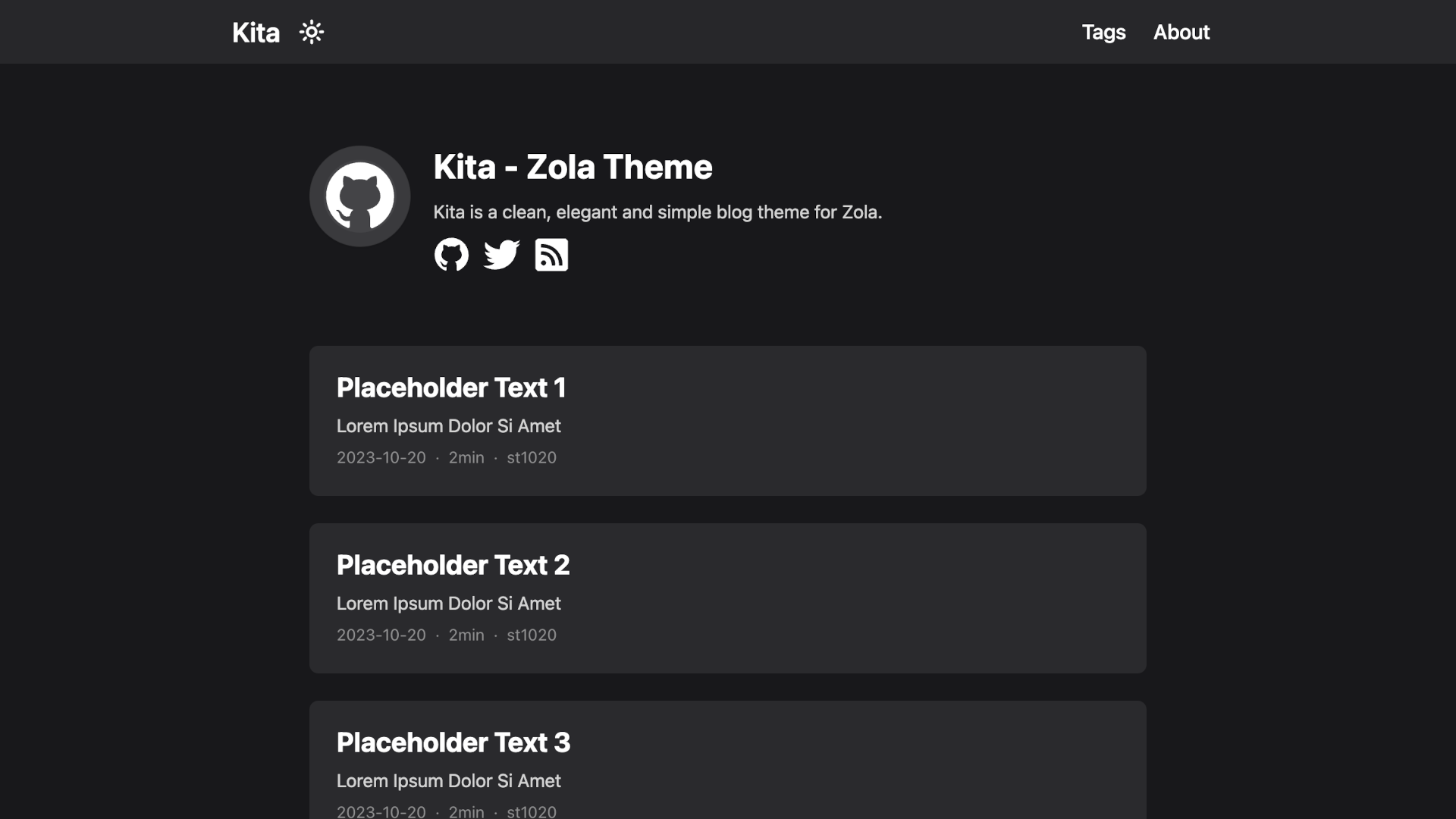
Kita is a clean, elegant and simple blog theme for Zola.
|
|
|
|
This theme is based on Hugo theme [hugo-paper](https://github.com/nanxiaobei/hugo-paper) with some features added.
|
|
|
|
[Demo](https://kita-zola.pages.dev)
|
|
|
|
|
|
|
|
## Features
|
|
|
|
- Easy to use and modify
|
|
- No preset limits (This theme does not limit your content directory structure, taxonomy names, etc. It's applicable to all zola sites.)
|
|
- Inject support
|
|
- Dark mode
|
|
- Responsive design
|
|
- Social icons
|
|
- Taxonomies support
|
|
- Projects page
|
|
- Archive page
|
|
- Table of Content
|
|
- Admonition shortcode
|
|
- SEO friendly
|
|
- Comments using [Giscus](https://giscus.app/)
|
|
- Mathematical notations using [KaTeX](https://katex.org/)
|
|
- Diagrams and charts using [Mermaid](https://mermaid.js.org/)
|
|
|
|
## Installation
|
|
|
|
The easiest way to install this theme is to clone this repository in the themes directory:
|
|
|
|
```sh
|
|
git clone https://github.com/st1020/kita.git themes/kita
|
|
```
|
|
|
|
Or to use it as a submodule:
|
|
|
|
```sh
|
|
git submodule add https://github.com/st1020/kita.git themes/kita
|
|
```
|
|
|
|
Then set `kita` as your theme in `config.toml`.
|
|
|
|
```toml
|
|
theme = "kita"
|
|
```
|
|
|
|
## Configuration
|
|
|
|
See the `extra` section in [config.toml](https://github.com/st1020/kita/blob/main/config.toml) as a example.
|
|
|
|
## Inject support
|
|
|
|
You can easily use inject to add new features to your side without modifying the theme itself.
|
|
|
|
To use inject, you need to add some HTML files to the `templates/injects` directory.
|
|
|
|
The available inject points are: `head`, `header_nav`, `body_start`, `body_end`, `page_start`, `page_end`, `footer`, `page_info`.
|
|
|
|
For example, to load a custom script, you can add a `templates/injects/head.html` file:
|
|
|
|
```html
|
|
<script src="js-file-path-or-cdn-url.js"></script>
|
|
```
|
|
|
|
## License
|
|
|
|
[MIT License](https://github.com/st1020/kita/blob/main/LICENSE)
|
|
|
|
Copyright (c) 2023-present, st1020
|